Your live ads, their status, and a check one click away.
Connect your ad accounts through each platform's official login. AdApproved syncs your ads and status into one catalog, lets you filter rejected or disapproved ads, and run an Ad Checker report from the list to see what needs fixing.
How it works
 Step 1
Connect
Meta Business Managers and ad accounts, Google Ads including manager (MCC) accounts, TikTok Ads, and Microsoft Advertising as an experimental integration. Each through the platform's official login.
 Step 2
We sync
Your ads and accounts come into one catalog, with their status on the platform. Pick which Business Managers or client accounts to include.
 Step 3
Check from the list
Filter to rejected, disapproved or otherwise risky ads, open one and run an AdApproved check directly from the catalog. Same report, same suggested fixes, no copy and paste.
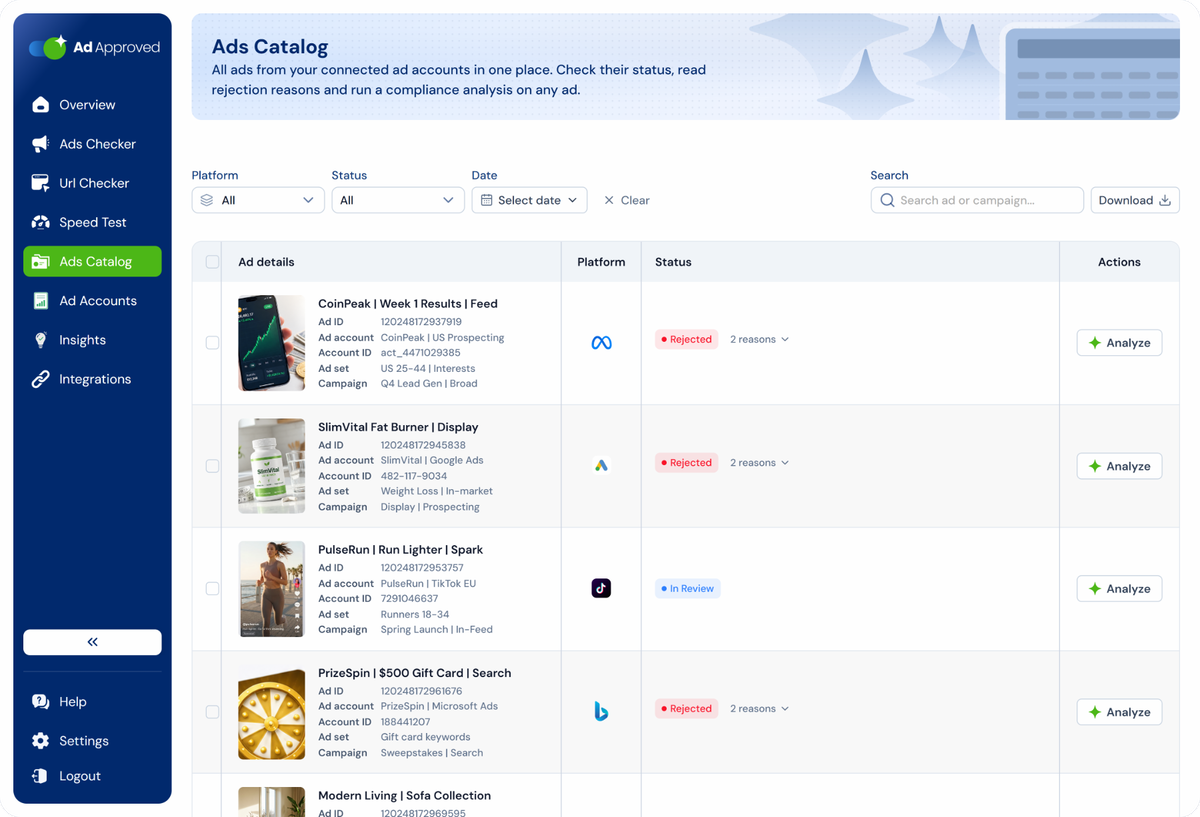
All your live ads, with the status the platform gave them.
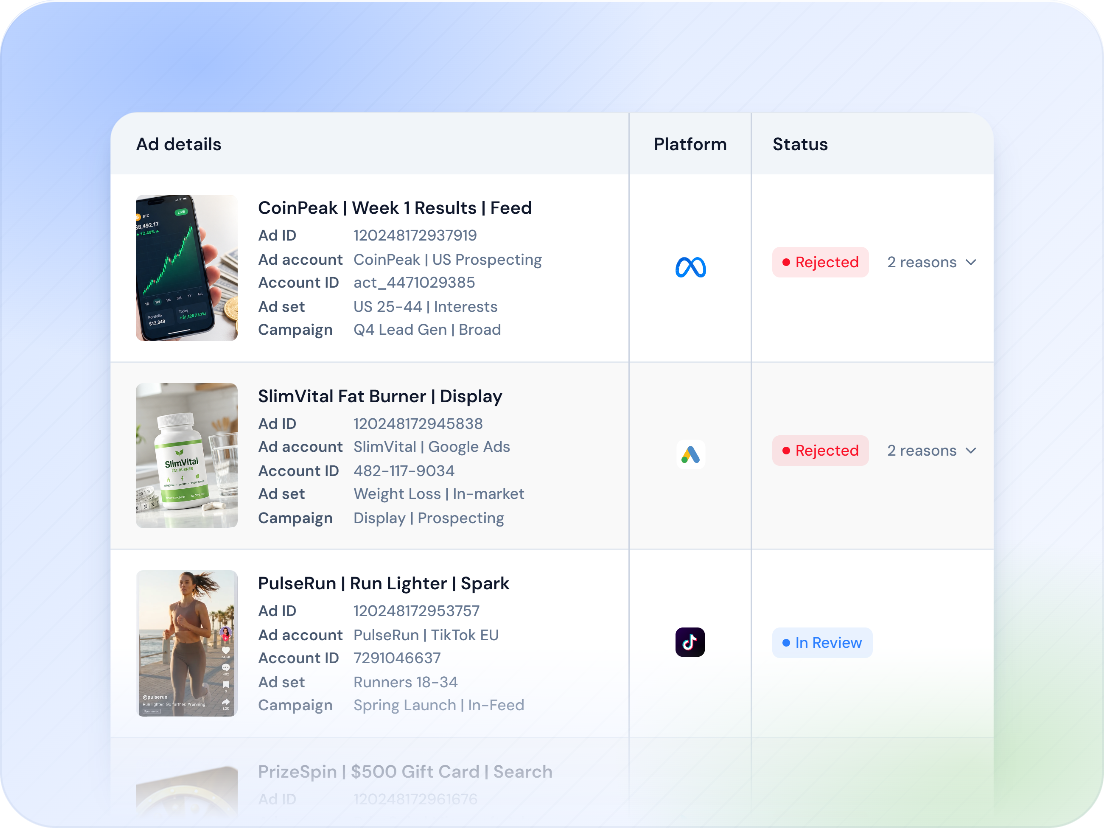
Once an account is connected, its ads sync into the catalog with the ad preview, campaign, ad set, platform and status. Rejected or disapproved ads are one filter away instead of spread across multiple platform tabs.
- Meta, Google Ads, TikTok Ads and Bing Ads in one catalog
- Ad preview, campaign name, ad set name, platform and ad status per row
- Which client the ad belongs to, when you run more than one
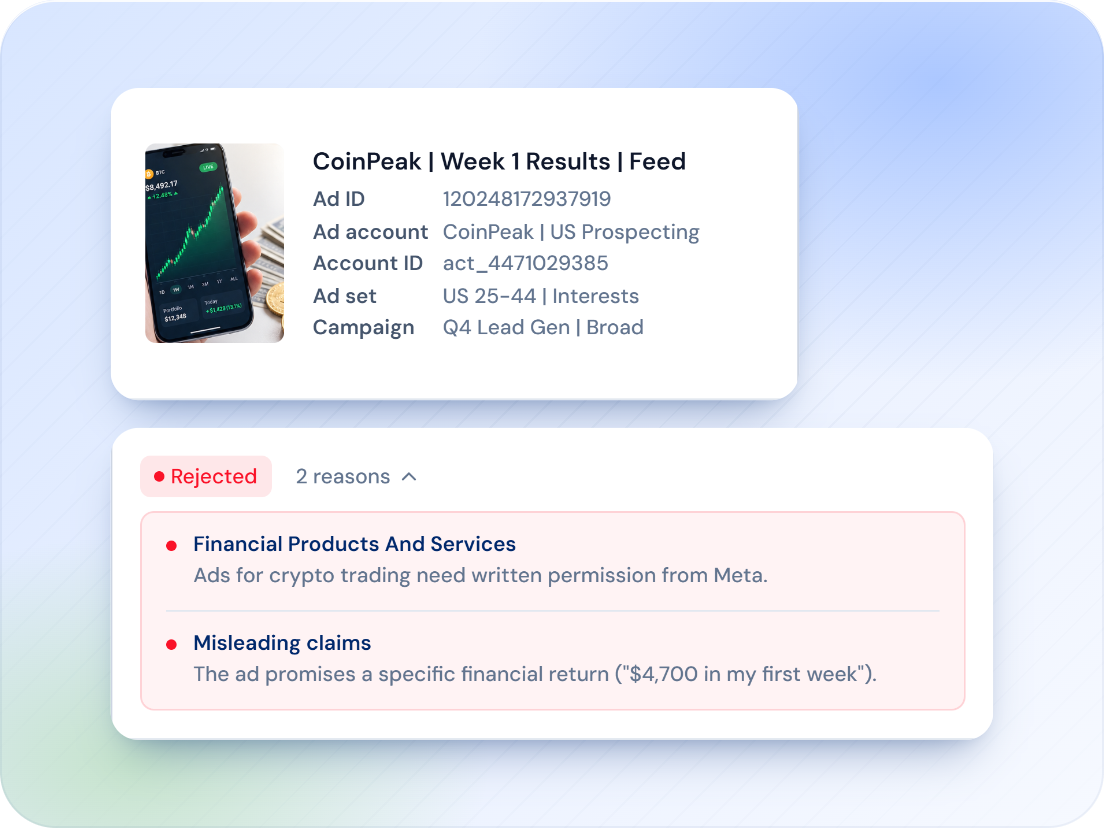
Filter to the problem. Check it from the list.
Filter by campaign status, effective status, appeal status, platform, client and date, or search by ad or campaign name. Open an ad and run the same AdApproved check you would run manually, without copying the ad into a separate form.
- Filters: campaign status, effective status, appeal status, platform, client, date
- Select several ads at once
- Run a check on any live ad, straight from the catalog
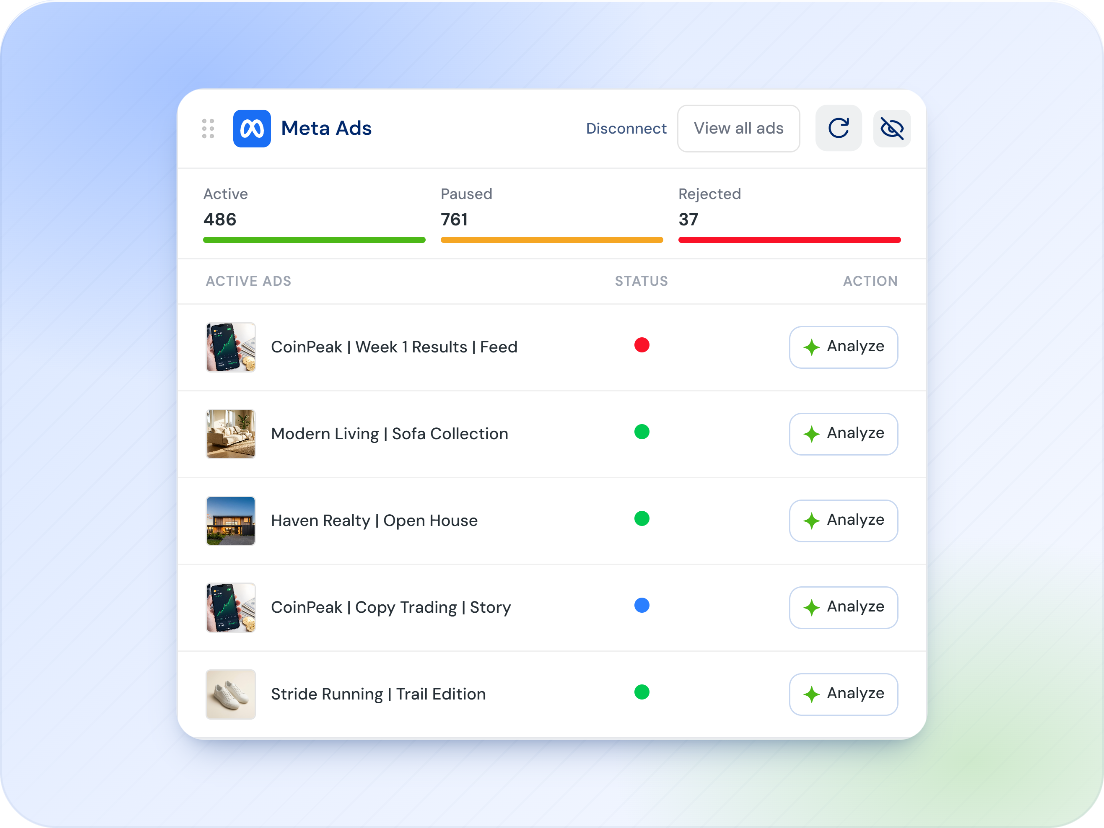
The account layer, in view.
Policy issues can affect more than a single ad. The Ad Accounts and Business Managers views show what is connected, along with permissions, status and recent activity, so account-level problems are easier to spot early.
- Business Managers and ad accounts with status and permissions
- Google Ads manager (MCC) accounts, with the client accounts you choose
- Overview of disapproved ads across accounts
What connects
Official OAuth on every platform. Disconnect from Integrations in one click.

Meta
Business Managers and the ad accounts inside them. You choose which Business Managers to sync.

Google Ads
Individual accounts and manager (MCC) accounts, with the client accounts you pick.

TikTok Ads
Ad accounts and their ads, synced into the catalog.

Microsoft Advertising
Bing ads and accounts. The integration is experimental; checks for Bing ads run in the Ad Checker regardless.
Overview
Approved and disapproved counts, approval rate, spend over the last 7 and 30 days, credits, and the connected platforms at a glance.

Insights
Spend trends, compliance patterns and performance by compliance level, filtered by platform. See compliance patterns alongside spend and performance.
Part of one account
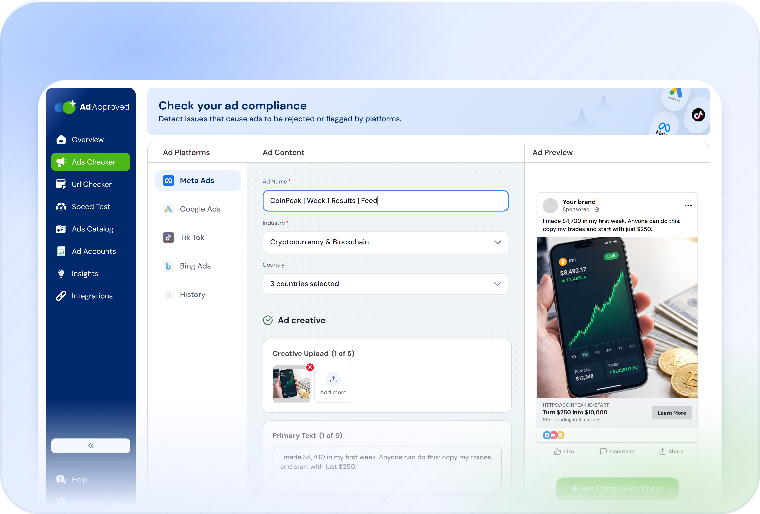
Four tools, one set of credits, one history. Each check is one credit.
URL Checker
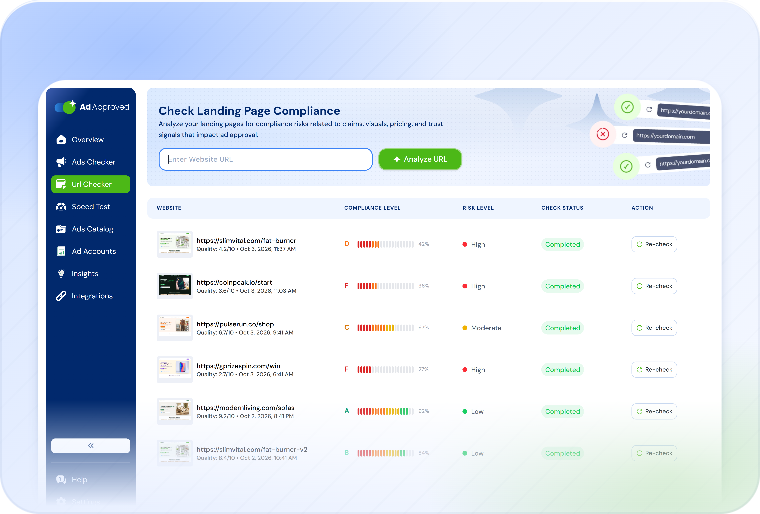
The landing page on desktop and mobile, violations pinned to the screenshot, cloaking checked.
Ads Catalog questions
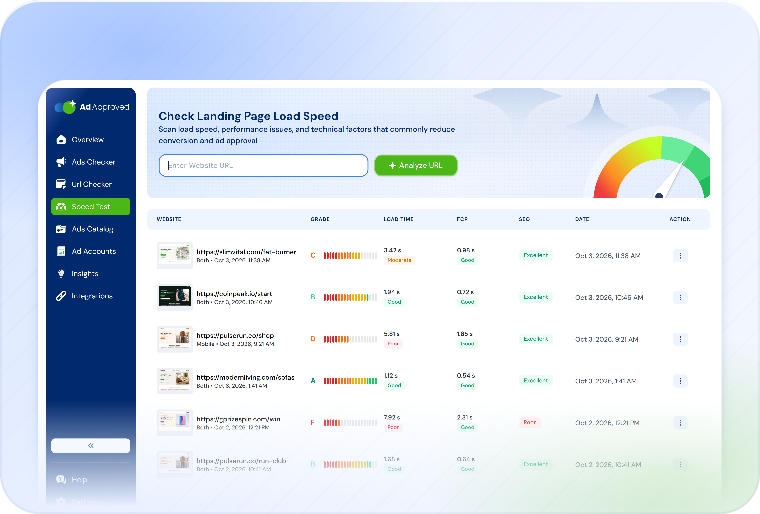
No. The Ad Checker, URL Checker and Page Speed test work from what you give them. Connecting is for checking ads that are already live, without re-entering them.
Ads and account data, read through the platform's own login, so you can check ads from your catalog. You can disconnect at any time from Integrations.
Meta, Google Ads (including MCC) and TikTok Ads. Microsoft Advertising is available as an experimental integration.
Yes. One credit per check, the same report as a check you enter by hand.
Bring the live ads in. Check them before the next review.
Connect your ad accounts through each platform's official login, filter the rejected ads and run a check from the list. 7 days free on any plan.
Try free for 7 days